
Eursap's SAP Tips: How to login and navigate directly to Fiori from your SAP GUI screen
Mar 08,2021
|
Written by
Jon Simmonds
Eursap's SAP Tips: How to login directly to Fiori from your SAP GUI screen
If you’re in your normal SAP GUI screen, you can navigate directly to your Fiori launchpad (if you have it activated) in SAP S/4HANA by using transaction n/ui2/flp – note that the “/n” at the start of the transaction is essential.
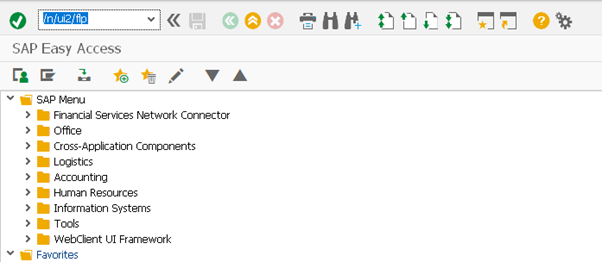
Once you press enter, SAP will post the following message:

Your default browser will then open revealing the SAP Fiori launchpad in all its glory!

I hope you find this useful!
More blogs

Eursap's SAP Tips: Further reading on SAP - how to upskill yourself for free
Eursap's SAP Tips: Further reading on SAP - how to upskill yourself for free
One of the challenges in today
Feb 28, 2025

Eursap's Ask-the-SAP-Expert: Tanya Wade
Ask-the-SAP-Expert – Tanya Wade
Eursap’s Ask-the-SAP-Expert article is a feature designed to give y
Feb 25, 2025

Eursap's SAP Tips: Keyboard shortcuts in SAP Fiori
SAP Tips: Keyboard shortcuts in SAP Fiori
SAP Fiori is a modern user interface and as such, caters for acce
Jan 31, 2025